Choosing the wrong website platform can quietly kill your growth before it even gets started.
I've seen it happen — more times than I can count.
After building 200+ websites — from eCommerce to local services — I've watched companies thrive on the right platform and stall for years on the wrong one.
This is the no-BS breakdown of WordPress vs Squarespace in 2026 so you pick the one that makes (not costs) you the most money.
No hype. No corporate spin. Just results.
TL;DR
If I had no clue about websites and was building one myself, I'd choose Squarespace.
If I wanted something powerful, future-proof, and built for serious growth — I'd go WordPress (and hire an expert).
Squarespace bundles hosting, templates, and support in one place, making it extremely user-friendly and fast to launch. WordPress gives you the keys to the kingdom — but you need to know how to drive.
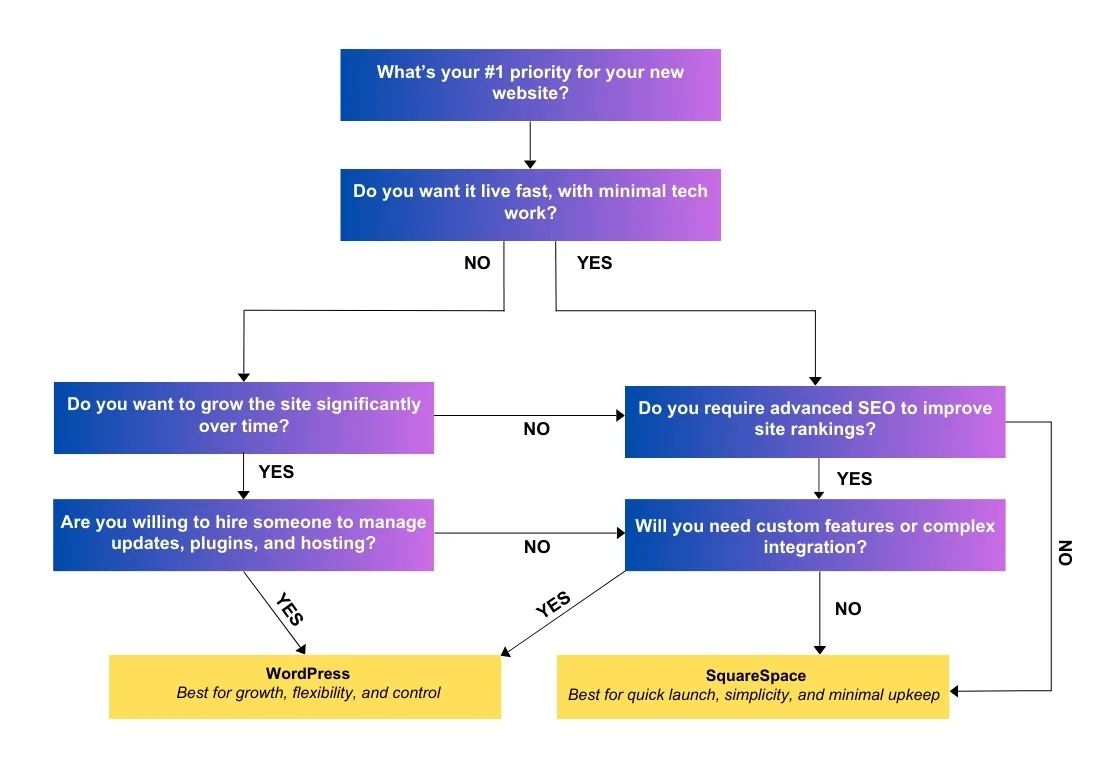
What are WordPress (WP) and Squarespace?
WordPress is an open-source CMS with near-unlimited customisation via themes, plugins, and custom code. In 2026, it powers over 43% of all websites globally and continues to dominate the CMS market. More flexible, more scalable — and it rewards you for investing in it.
Squarespace is an all-in-one website builder with sleek templates and built-in hosting. With their Fluid Engine editor and AI-powered content tools now fully mature, it's faster to launch than ever — with trade-offs in flexibility.
WordPress = Unlimited potential and control (with some responsibility). Squarespace = Quick setup and simplicity (with limits).
If you value speed and simplicity, lean Squarespace. If you value control and growth, lean WordPress.
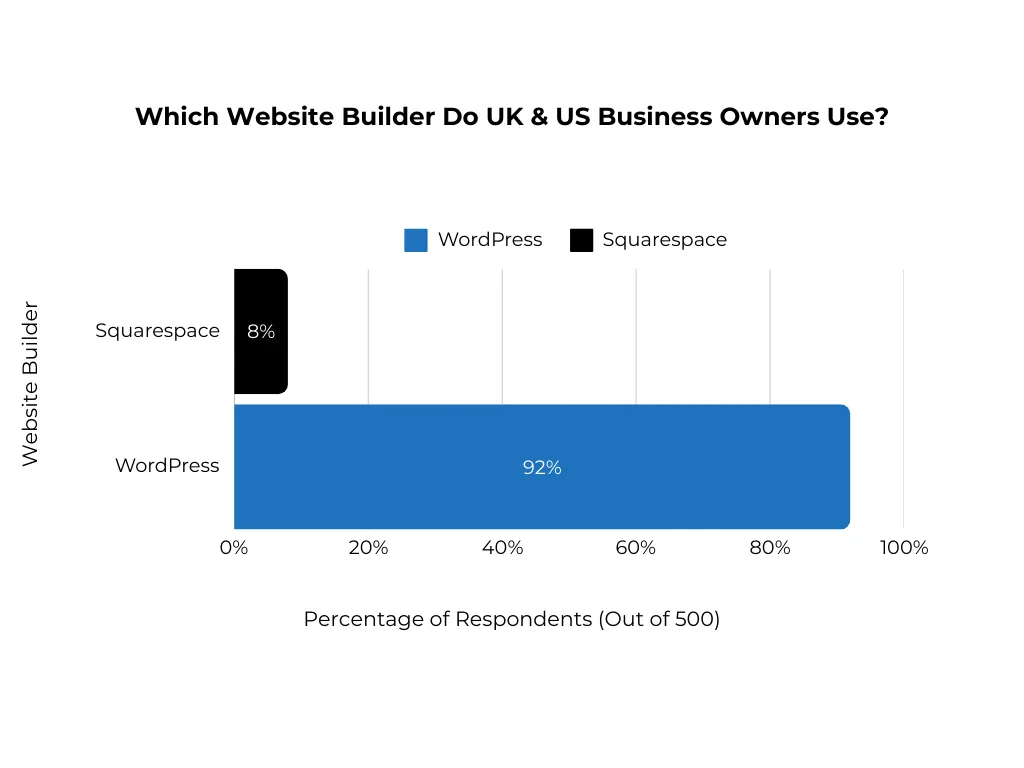
The Numbers Don't Lie
WordPress wins on ecosystem and scalability. Squarespace wins on simplicity and speed to publish.
92% of UK & US Business Owners Use WordPress — Survey of 500 business owners, showing WordPress's continued dominance for business websites heading into 2026.
Key Features of WordPress in 2026
- Ease of Publishing: Manage posts, pages, products without needing deep tech. The block editor is now mature and intuitive.
- Custom Post Types: Build structured content (testimonials, properties, classes, etc.).
- Third-Party Integrations: CRMs, analytics, marketing automation, membership, LMS — you name it.
- AI-Powered Tools: Plugins like Jepack AI and Rank Math AI now offer content generation, schema automation, and SEO suggestions built right in.
- Massive Community: Tutorials, forums, devs, and agencies everywhere — plus a thriving ecosystem of AI-assisted development tools.
- Media Management: Robust galleries, embeds, and library tools with next-gen image formats (AVIF, WebP) supported natively.
If you need features that don't exist out-of-the-box, WordPress can be made to do it.
Key Features of Squarespace in 2026
- Fluid Engine Editor: The drag-and-drop builder is now pixel-precise with full layout control.
- Built-In AI Content Tools: Generate text, suggest layouts, and auto-optimise images directly in the editor.
- Built-In Email Campaigns: Create and send branded emails without leaving the platform.
- Scheduling: Bookings via Acuity (now fully integrated) with zero setup pain.
- Analytics: Clean, built-in reporting for traffic, sales, and visitor insights.
- Membership Areas: Gate content for paid members or private resources — now with tiered pricing options.
If you want to launch this week and avoid maintenance, Squarespace is a joy.
Real Life Use Cases of Both Platforms
Below are real-life case studies and first-hand experiences with both platforms. There is no better way to help you make an informed decision based on actual use cases.
Ferncroft Duct Cleaning — Duct cleaning business
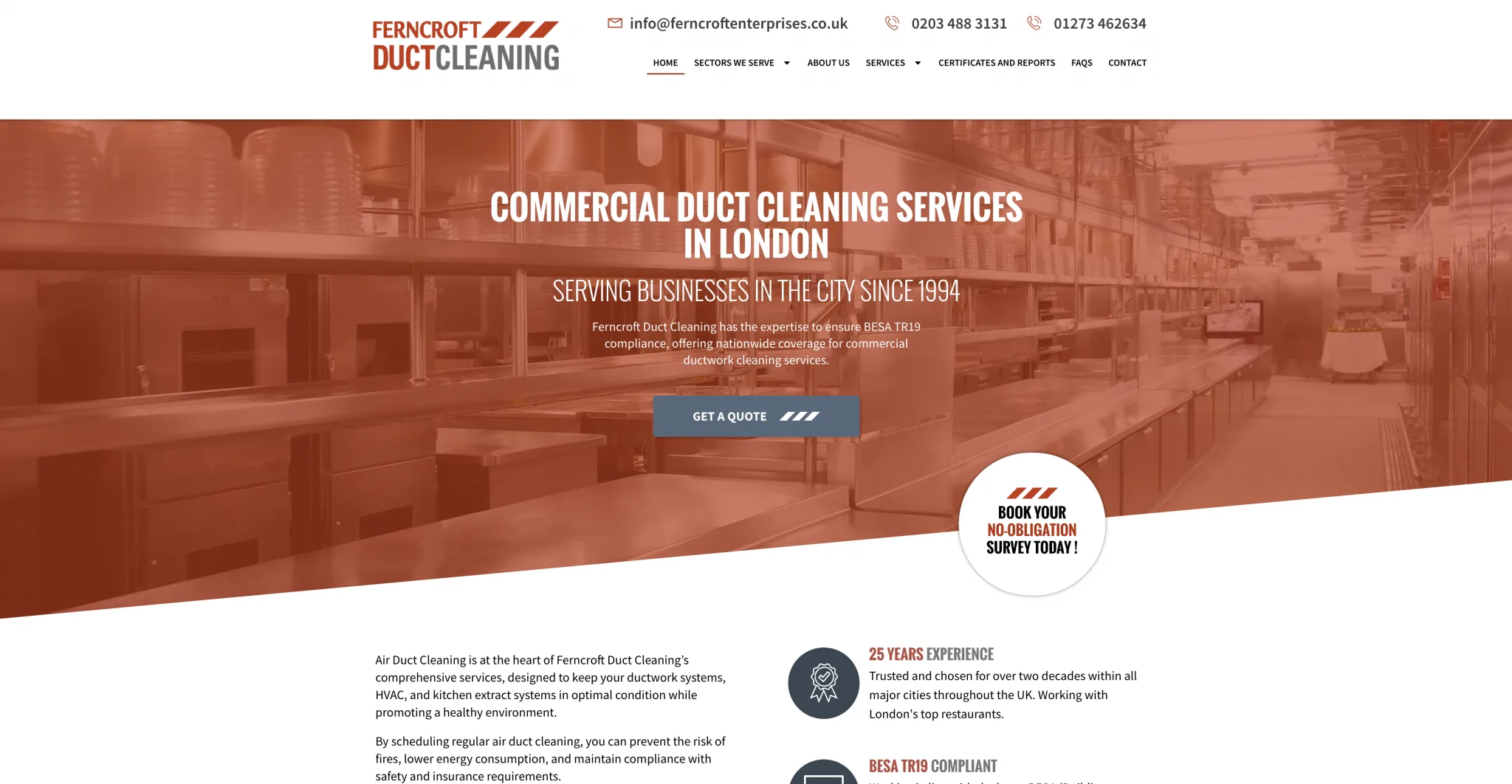
- Before: Squarespace site looked fine, but was rigid for SEO changes.
- After: Migrated to WordPress → traffic doubled; leads up 300%.
- Lesson: If SEO is your growth channel, WordPress lets you move faster and push further.
illumelation — An online travel blog by Mel Legarda

- Before: 8 years on Squarespace. Issues with load speed, mobile responsiveness, and SEO. Limited affiliate tools.
- After: Migrated to WordPress → faster load times, improved mobile UX, better monetisation.
- Lesson: Image-heavy, content-driven sites benefit from WordPress performance and plugin flexibility.
Chloe Forbesk — UX/UI design and business strategy
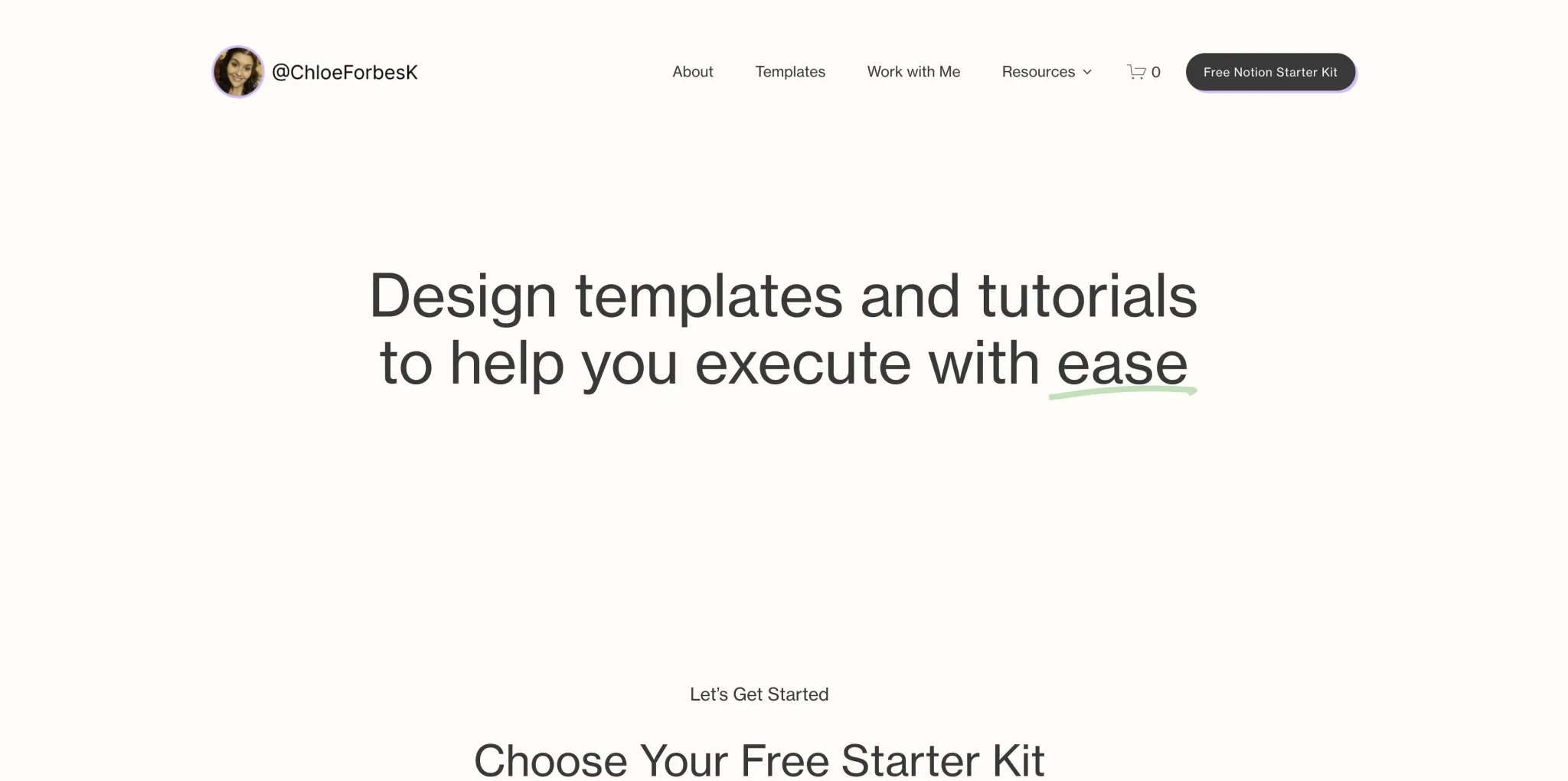
- Before: Loyal WordPress user tired of updates and plugin management.
- After: Switched to Squarespace → setup is faster, zero plugin headaches, smoother day-to-day.
- Lesson: If you hate maintenance and don't need deep customisation, Squarespace removes friction.
Glyn Dewis — Photographer, Educator, YouTuber and Best Selling Author
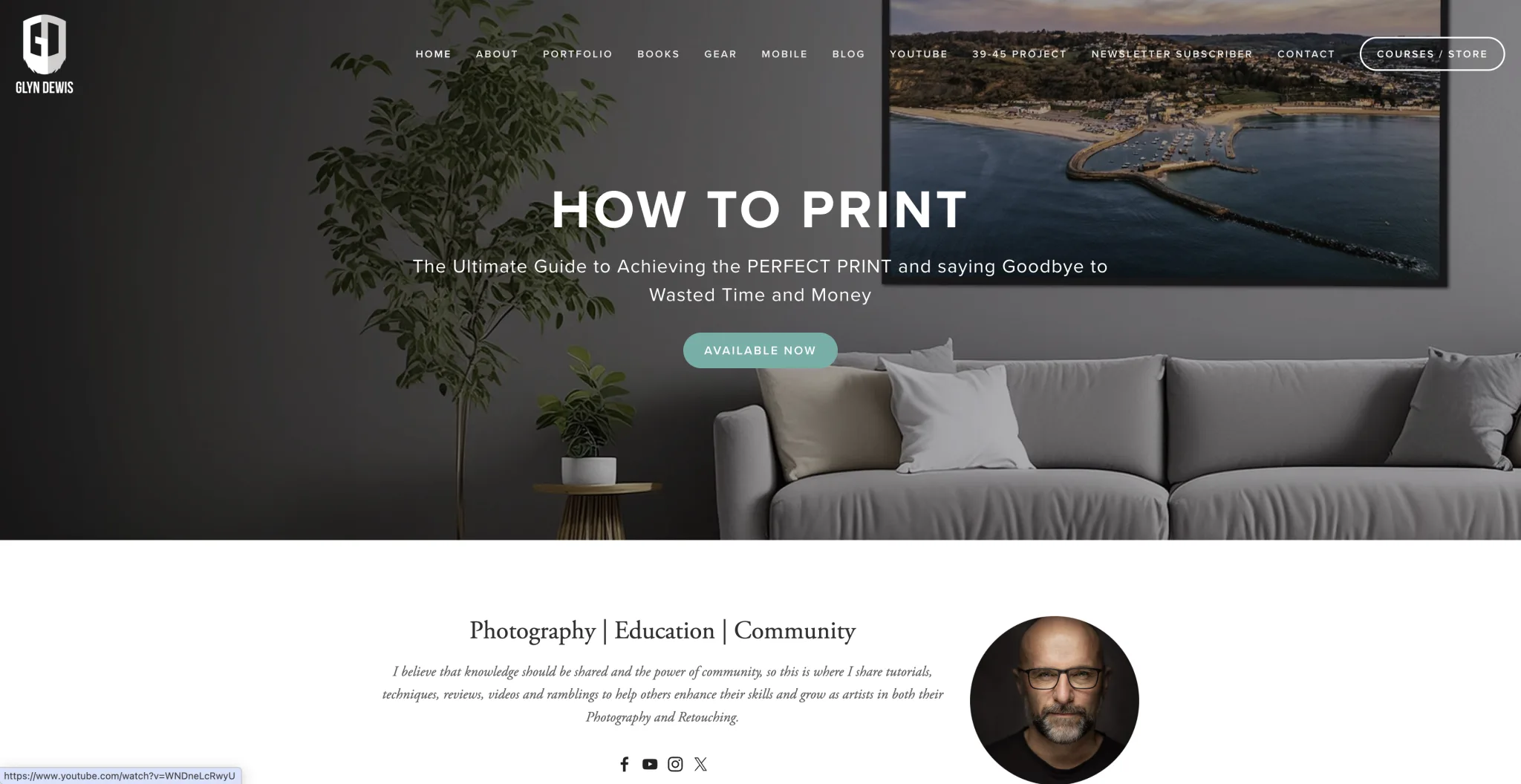
- Before: WordPress with designer reliance, plugin updates, occasional downtime.
- After: Squarespace → full control, lower downtime, clean portfolio + courses.
- Lesson: For portfolio-first businesses with straightforward needs, Squarespace can be a game-changer.
Design Capabilities
| Capability | WordPress | Squarespace | Winner |
|---|---|---|---|
| Custom Design Freedom | ✅ | ❌ | WordPress |
| Drag-and-Drop Builder | ✅ (multiple options) | ✅ (Fluid Engine) | Tie |
| Mobile-Friendly Templates | ✅ | ✅ | Tie |
| Custom Code Access | ✅ | Limited | WordPress |
| AI Design Assistance | ✅ (via plugins) | ✅ (built-in) | Tie |
| Ease for Non-Designers | ❌ | ✅ | Squarespace |
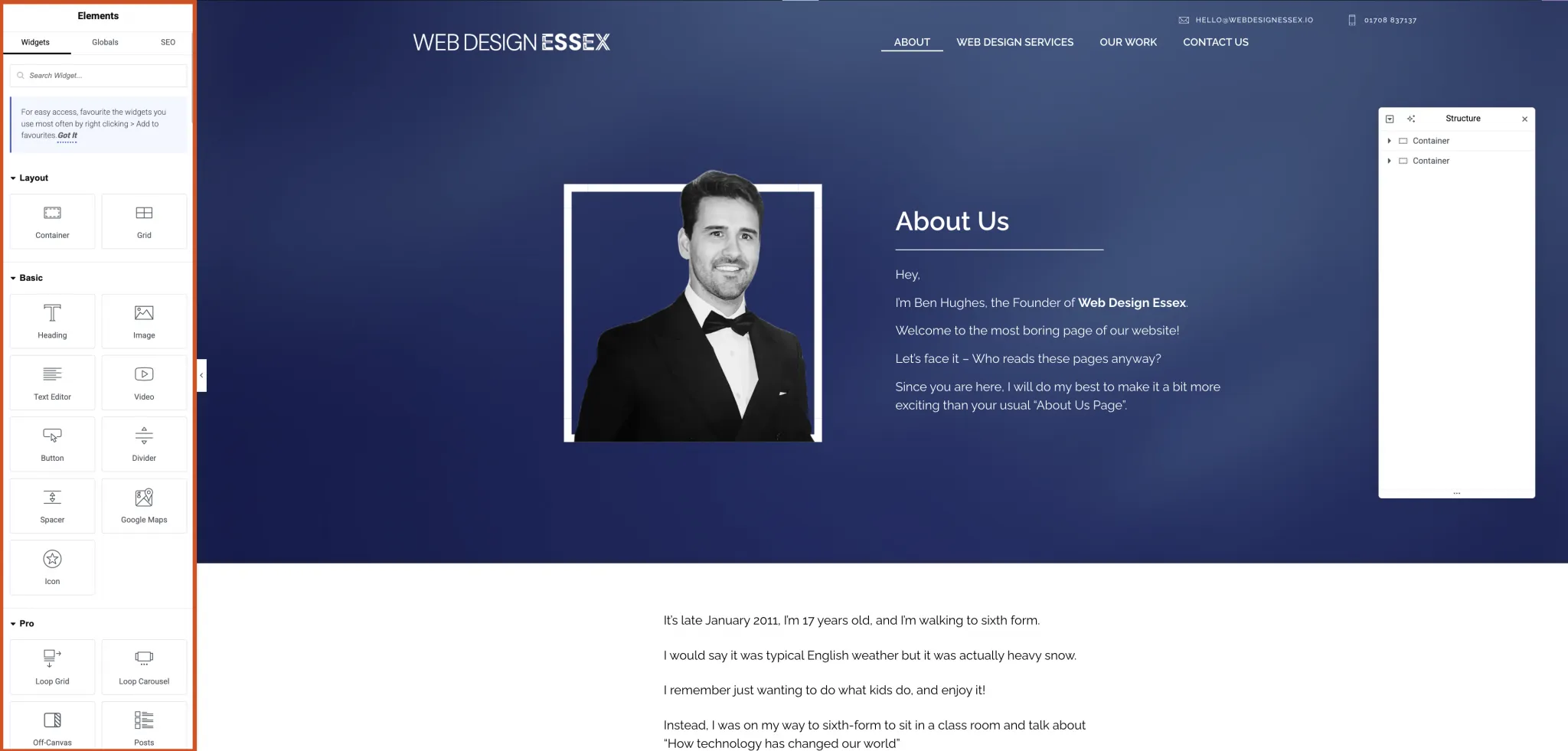
Both platforms have significantly improved their design tools heading into 2026. Squarespace's Fluid Engine is genuinely impressive for non-designers. WordPress, with builders like Elementor, Bricks, and the maturing block editor, remains the powerhouse for custom work.
Before choosing between the two, consider: your budget, what functionality you will need, what you expect from the website, and whether you're going to design the website yourself.
WordPress Comparison
- Perfect for businesses requiring a unique customised design.
- Thousands of WordPress plugins and third-party plugins.
- Requires some design knowledge — though AI tools are closing the gap.
- WordPress offers various choices of page builders (Elementor, Bricks, Breakdance, and the native block editor).
- There are zero limitations on what you can achieve with a web designer.
- Add additional features with custom code at the click of a button.
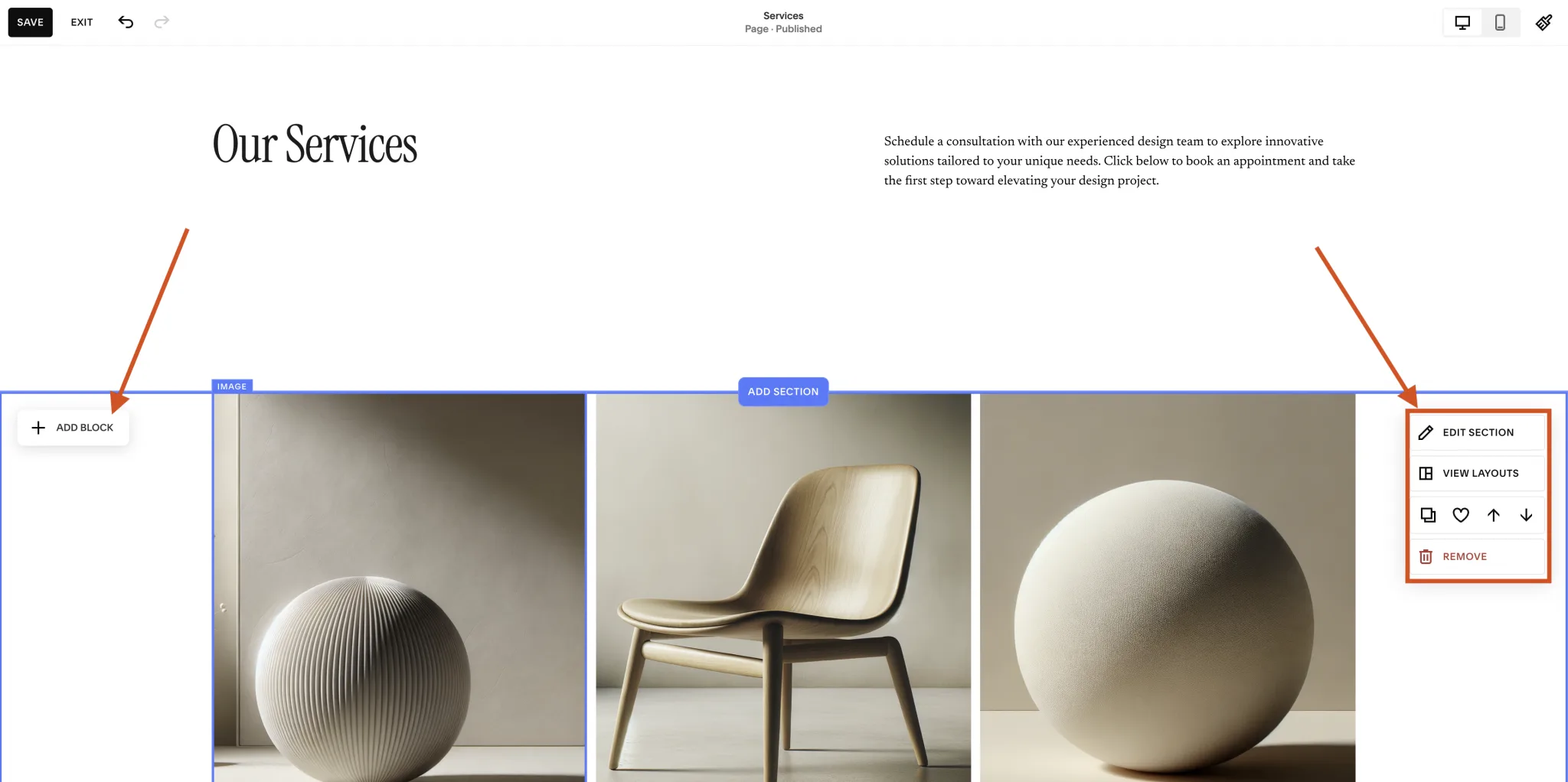
Squarespace Comparison
- Ideal for a professional website without a designer or developer.
- Squarespace offers a range of ready-made templates — now with AI-suggested layouts.
- Templates are visually appealing and mobile-friendly.
- Fluid Engine drag-and-drop editor is pixel-precise.
- No technical skills or coding knowledge required.
- Limited with third-party tool integrations.
- Built-in features are available without additional costs.
- Restricted with custom code.
e-Commerce Capabilities
WordPress + WooCommerce
Turning WordPress into an eCommerce store requires a plugin called WooCommerce. In 2026, WooCommerce remains the most popular open-source eCommerce solution, powering millions of stores worldwide.
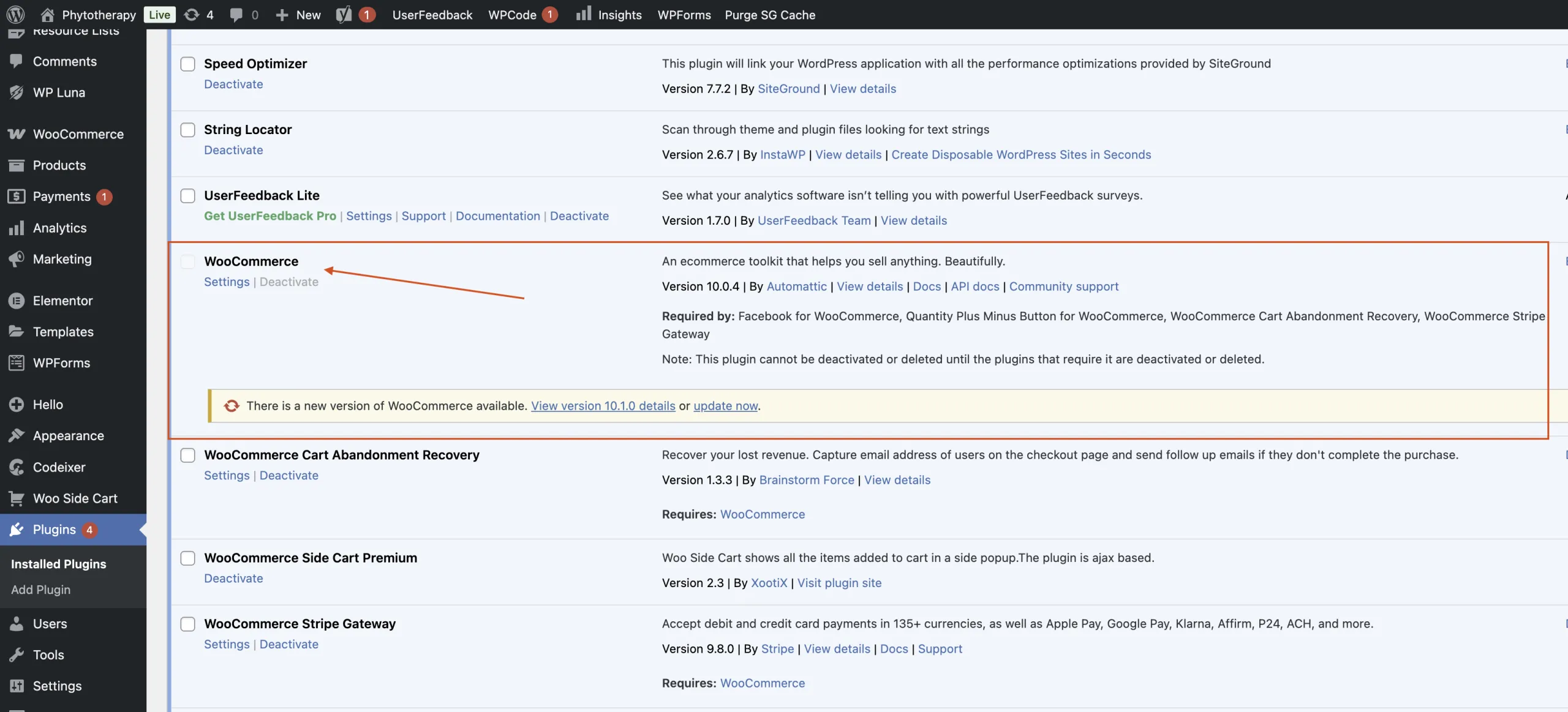
WooCommerce Features:
- Scalability: From 10 products to 100,000+, with global shipping and complex logic.
- Payments: WooPayments, Stripe, PayPal, Square, and more via plugins — plus emerging options like Apple Pay and Google Pay natively.
- Features: Subscriptions, memberships, bookings, bundles, multi-currency, B2B.
- AI Product Tools: Auto-generate product descriptions, smart inventory suggestions, and personalised recommendations.
Squarespace Commerce:
- Built-In Simplicity: Listings, inventory, taxes, and discounts are straightforward.
- Payments: Stripe, PayPal, Apple Pay, Afterpay — all in the dashboard.
- Mobile Checkout: Smooth, responsive templates optimised for conversion.
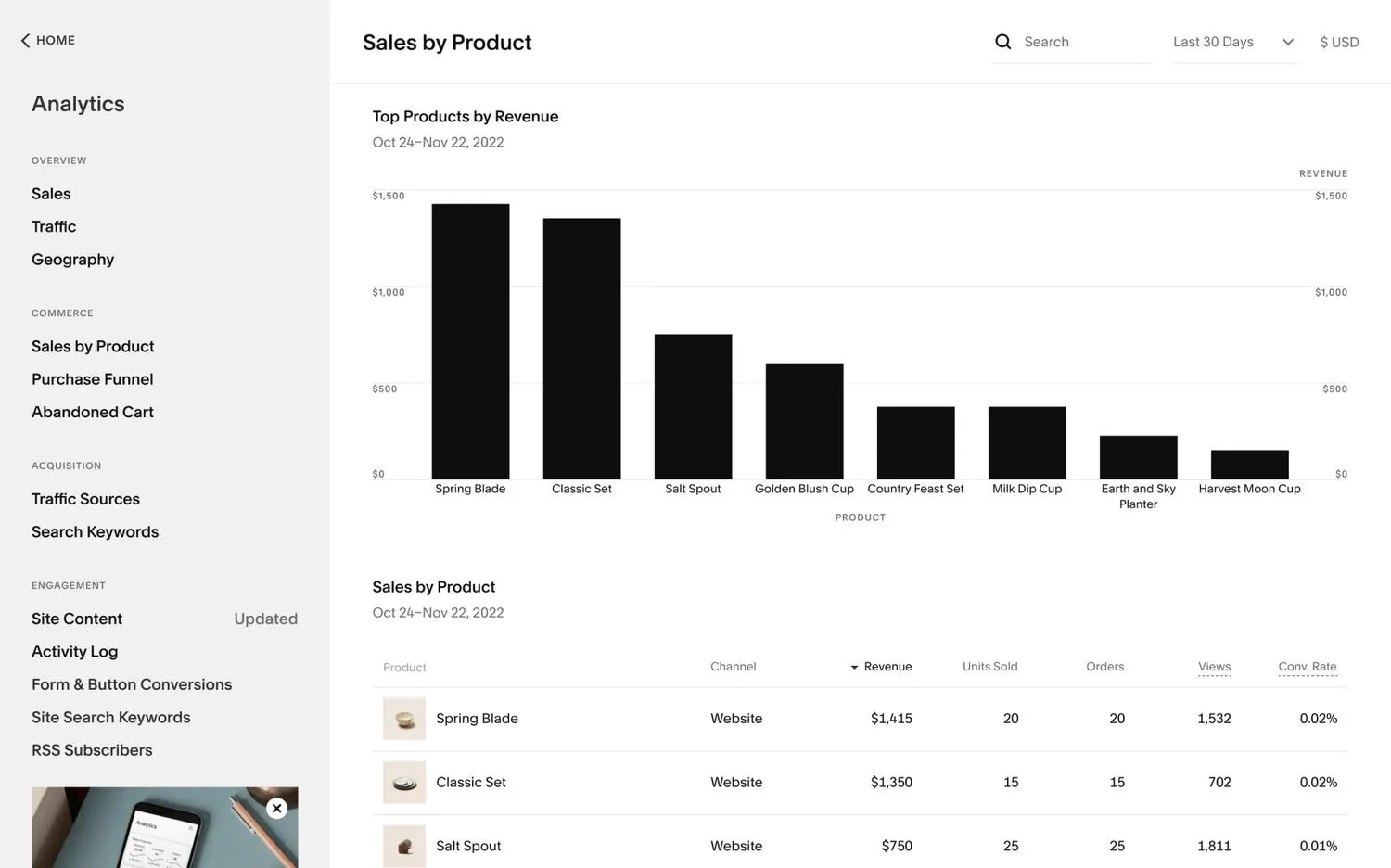
- Integrated Stack: Email, analytics, customer accounts, and abandoned cart recovery included.
Search Engine Optimisation
| SEO Factor | WordPress | Squarespace | Winner |
|---|---|---|---|
| URL Structure Control | ✅ | ❌ (some fixed paths) | WordPress |
| SEO Plugins/Tooling | ✅ (Yoast, Rank Math, etc.) | ❌ | WordPress |
| Core Web Vitals Control | ✅ (hosting/caching/CDN) | ❌ (limited control) | WordPress |
| Structured Data/Schema | ✅ (granular) | Basic only | WordPress |
| AI SEO Features | ✅ (via plugins) | Basic built-in | WordPress |
| Local SEO Features | ✅ | Limited | WordPress |
| Mobile Optimisation | ✅ | ✅ | Tie |
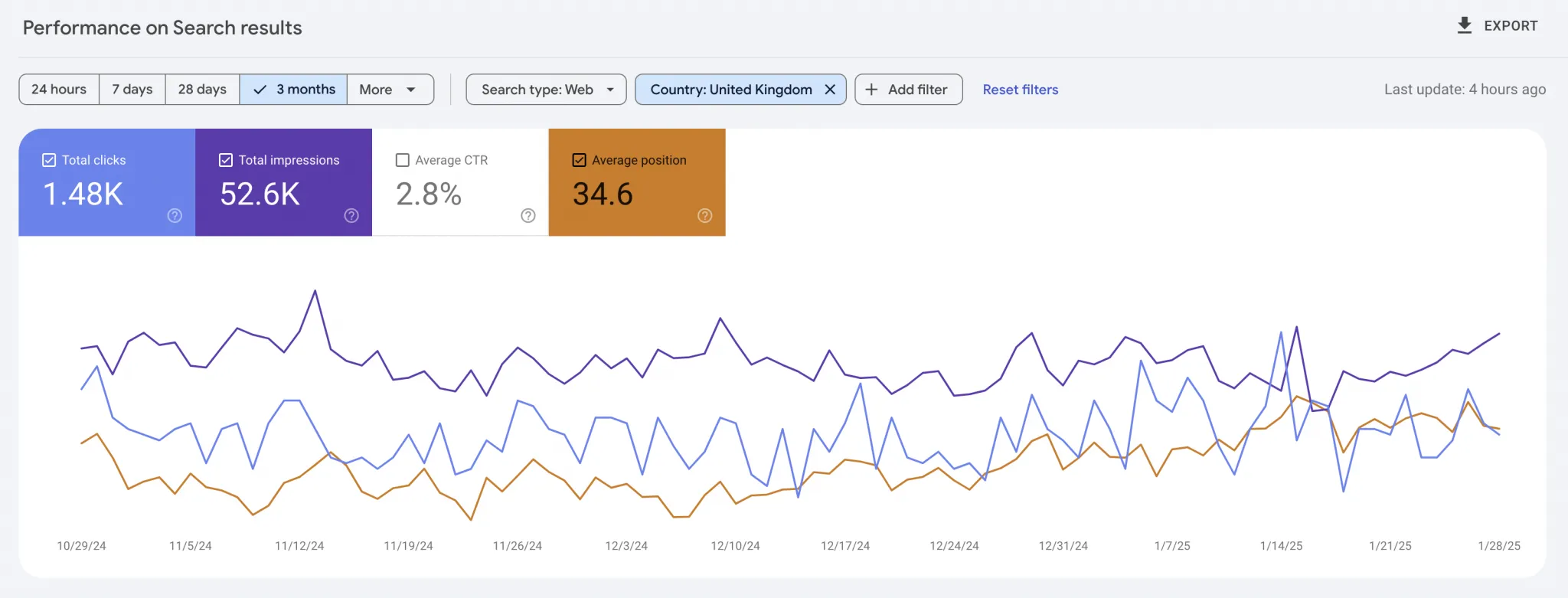
I would be lying if I said, "You cannot do SEO on Squarespace." Squarespace would not have achieved the success it has if that was the case. Having said that, Squarespace does limit you — particularly when it comes to technical SEO, Core Web Vitals, and advanced schema markup.
Here are some pros and cons of both platforms without getting too geeky.
WordPress SEO
Pros
- Full control over URLs — Customise every aspect of your site's URL structure for better SEO.
- Powerful SEO plugins — Use tools like Yoast and Rank Math (now with AI-powered suggestions) to optimise every page.
- Better Core Web Vitals control — Choose your hosting, caching strategy, and CDN for peak performance.
- Stronger blogging & content SEO — Advanced tools for internal linking, pagination, and content optimisation.
- Customisable metadata — Complete control over page titles, descriptions, and social media appearance.
- Advanced schema & structured data — Easily add rich snippets for products, reviews, FAQs, and AI-optimised content.
- Better local SEO — Optimised for Google Business Profile and local search rankings.
Cons
- Requires some technical knowledge — Needs setup and optimisation to perform well.
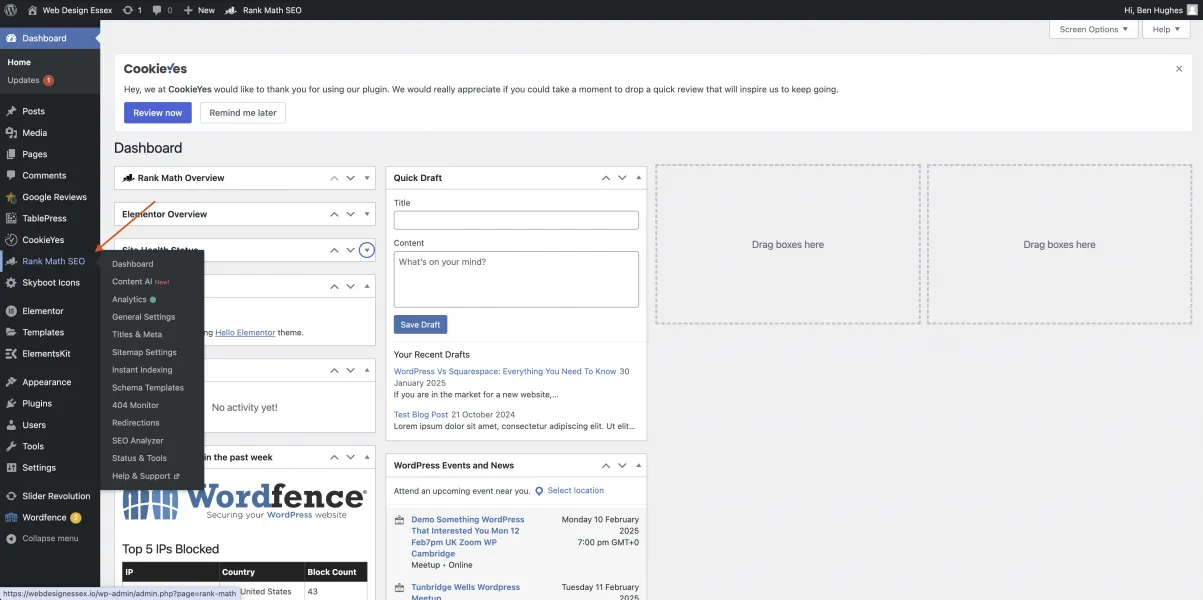
- SEO plugins are a must — WordPress alone isn't optimised. You will need plugins like Rank Math or Yoast SEO.
- Site speed depends on hosting — Without proper hosting and caching your site may be slow.
- Security needs monitoring — Requires updates and security plugins to prevent attacks.
- Frequent maintenance — Regular plugin and theme updates to avoid conflicts.
- No built-in SEO features — Everything must be manually configured or done through plugins.
- Steeper learning curve — More flexibility means more effort to set up and optimise.
Squarespace SEO
Pros
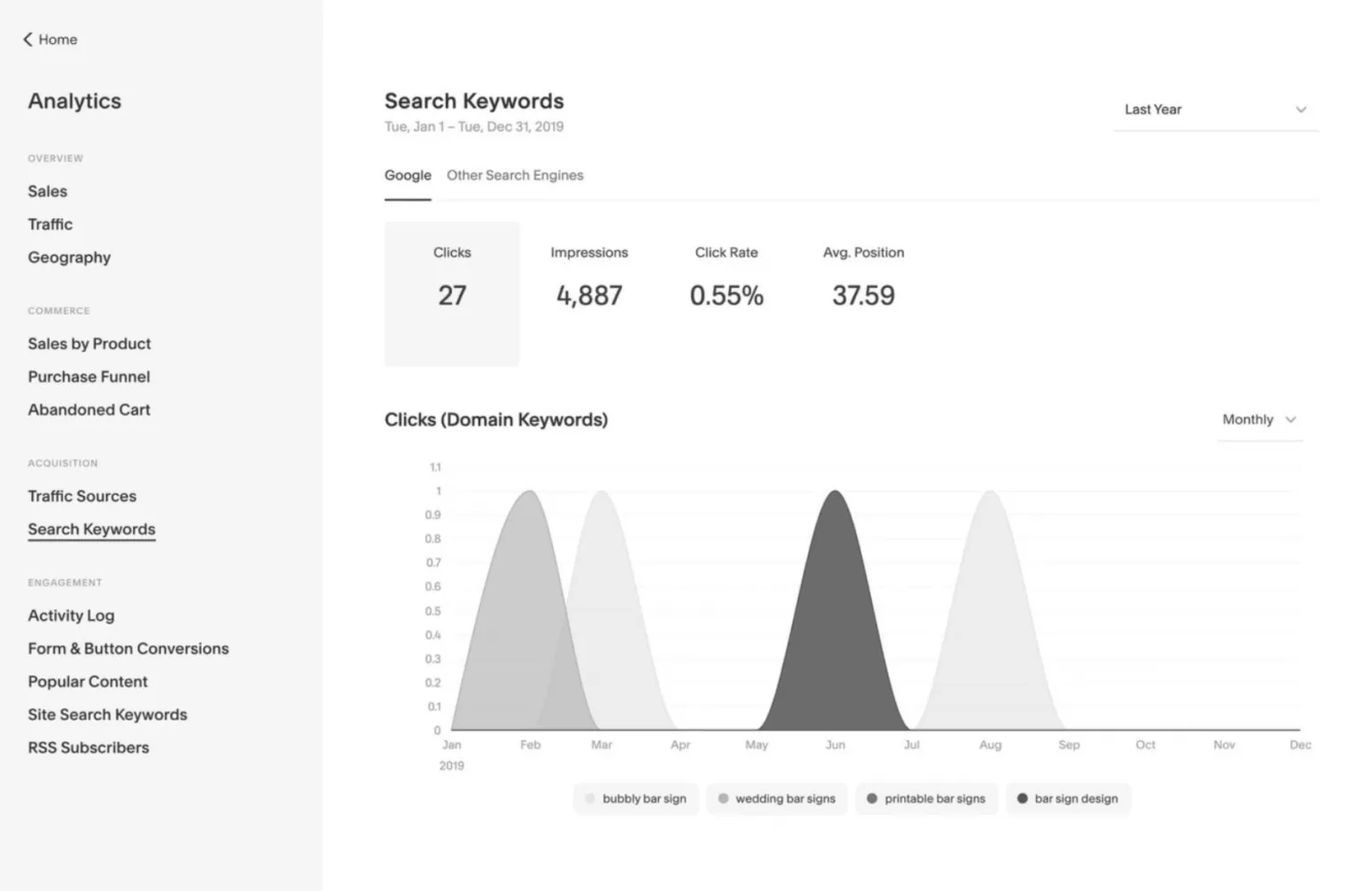
- Easy to use — No coding or plugins needed; SEO settings are built-in.
- Simple blogging and content management — Clean editor for quick updates.
- Mobile-optimised templates — All themes are responsive out of the box.
- Auto-generated XML sitemap — Google can easily crawl your pages.
- Built-in SSL and CDN — Secure and fast hosting included at no extra cost.
- Automatic image compression — Reduces image sizes for better performance.
- No plugin hassle — No need to manage SEO plugins or third-party tools.
Cons
- Limited URL control — Can't remove /blog/ or /products/ from URLs.
- Less control over metadata — Squarespace sometimes overrides your meta descriptions.
- Basic schema markup only — No easy way to add custom structured data.
- No SEO plugins — No tools like Yoast or Rank Math for advanced optimisation.
- Core Web Vitals limitations — Templates rely heavily on JavaScript, which affects performance scores.
- Limited redirects — No bulk 301 redirect management.
- Poor e-commerce SEO — Checkout pages use *.squarespace.com, hurting branding and your SEO.
Pricing Comparison
Squarespace = Renting a beautiful flat — fixed, predictable cost, no maintenance, limited renovations. WordPress = Owning the land — you choose the plot (hosting) and blueprint (theme/builder), more responsibility, unlimited potential and resale value.
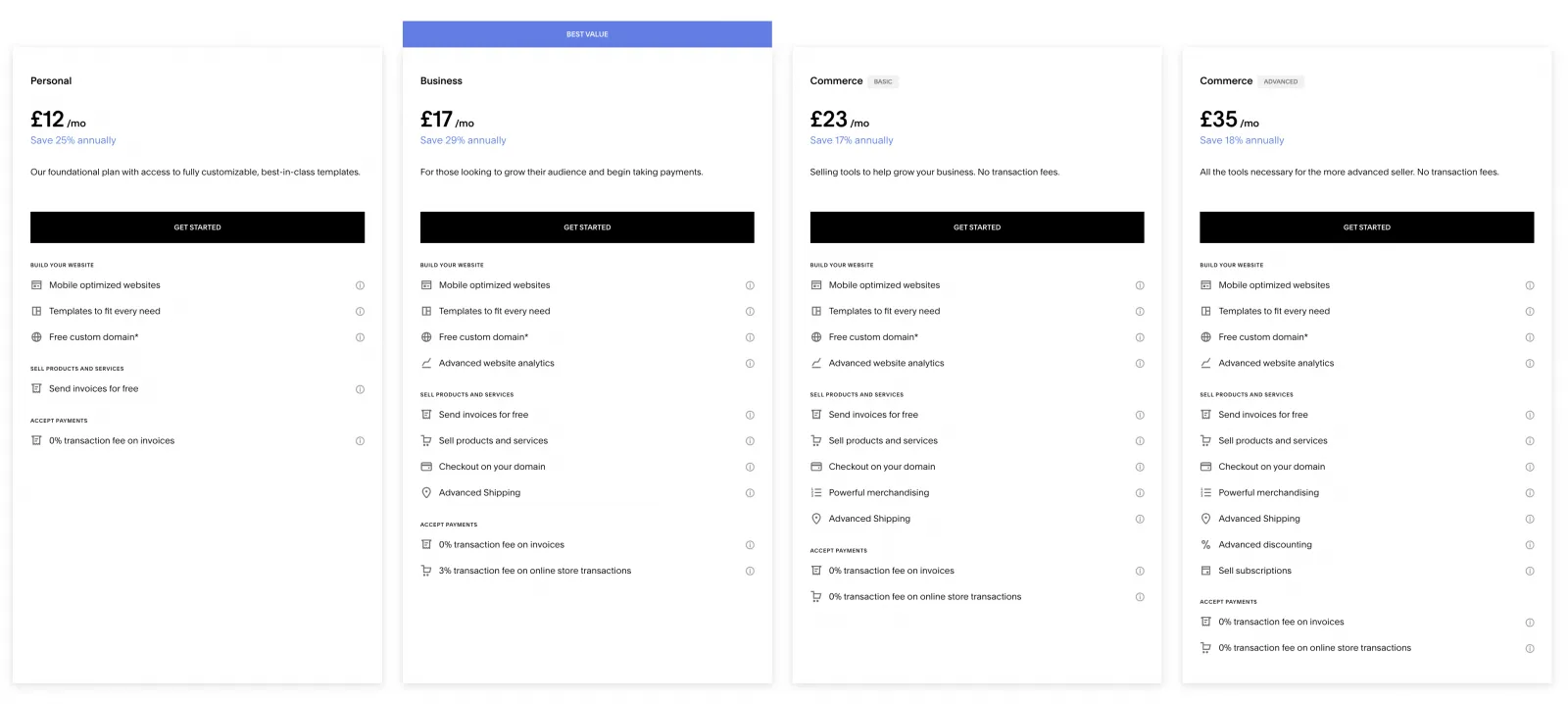
Both platforms offer competitive pricing in 2026. The choice you make should not come down to pricing alone. As you can see, there is not much difference between the two options. But you will start to incur extra costs when using WordPress compared to Squarespace.
WordPress Pricing
These prices are from WordPress.com. There are hundreds of WordPress Hosting Providers, so it's worth shopping around. Self-hosted WordPress is also an option but this would require some technical expertise.
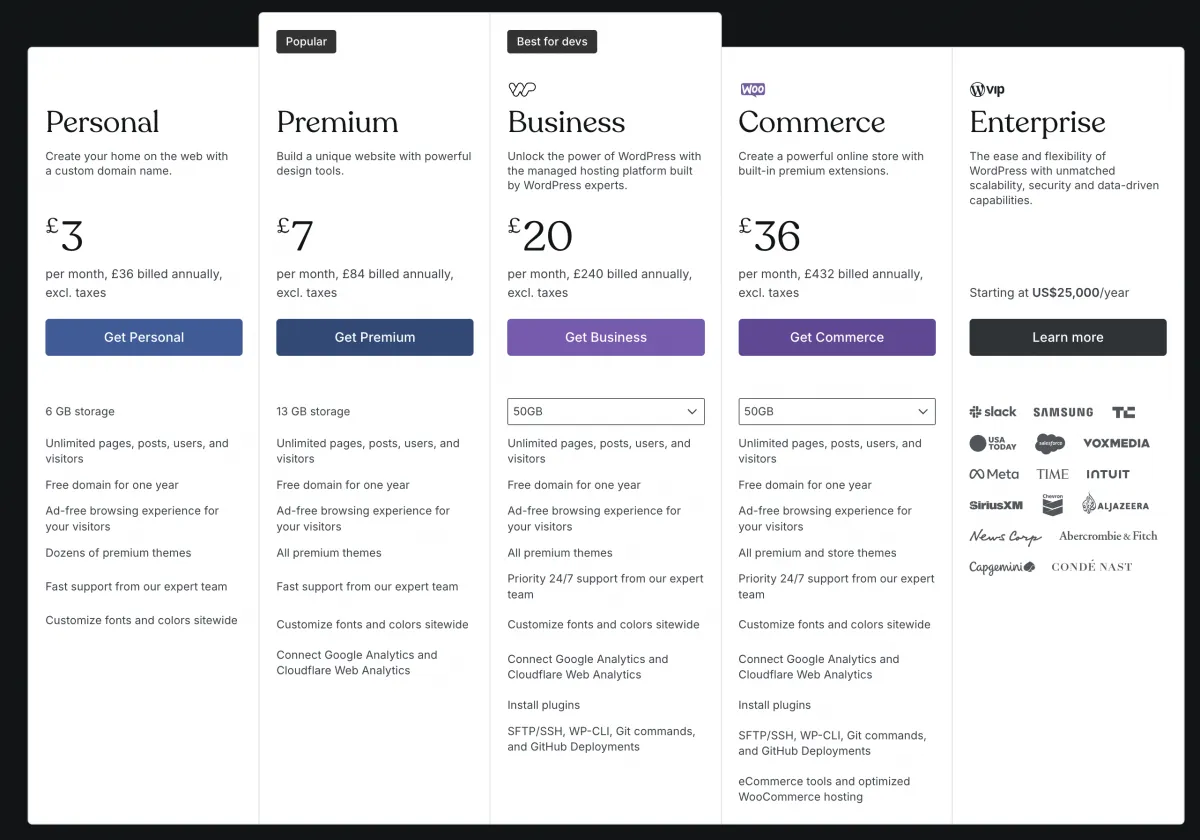
If you want to add advanced features — premium plugins, page builders, or specialist integrations — these will come with an extra cost.
Squarespace Pricing
Squarespace pricing bundles all these costs in one. Hosting, SSL, templates, and most features are included. The chances of you needing to dip into your pockets again are very unlikely.
Support Options
Squarespace: 24/7 support across plans — including live chat and email. Their knowledge base is well-maintained and beginner-friendly.
WordPress: Customer support depends on your host, theme, plugins, or developer — but you gain choice and redundancy. Premium hosts like WP Engine and SiteGround offer excellent support.
DIY beginners value Squarespace support. Teams and agencies often prefer WordPress flexibility.
Conclusion: WordPress vs. Squarespace in 2026
A website isn't just "online real estate." It's your sales team, your marketing engine, and your brand's first impression — all rolled into one.
In 2026, the gap between the two platforms has narrowed in some areas — particularly design and ease of use. But the fundamentals remain the same: WordPress gives you unlimited control, Squarespace gives you simplicity without compromise.
- If you want quick, simple, and beautiful → Squarespace.
- If you want power, growth, and control → WordPress.
Choose wisely. The platform you build on today will decide how far you can go tomorrow.
The Next Step
Not sure which is right for your business? I've helped 200+ businesses choose the perfect platform and set them up for long-term success.